Bring your menus, guest and client conversations, catering inquiries, campaigns and reviews onto one platform. Replace overlapping business tools around your dining room and off-site events, keep the specialist systems you need, and expand through thousands of marketplace apps and integrations.
FREE 30 days. Nexus Executive with four recommended tools. Card required; then $197/month unless canceled. Usage, paid extras and tax are separate.
03 / Restaurants & catering
Hospitality, connected.
Archon.tools / Made for the way you work
Less software to juggle
Bring the everyday together. Connect the specialist tools.
Connect the business behind restaurant service and catered events, from menu pages and event briefs to client conversations, seasonal promotion and repeat business.
In your recommended four
Website & forms
Put your menus and events in view.
Build pages for your menu, venue, catering formats and past events using your own content and photography. Collect the brief your team needs before discussing a menu proposal; a menu page is not an order-routing system.
In your recommended four
Customer hub & inbox
Keep the guest and client relationship together.
Organize guest and client details, supported messages, event briefs and follow-up tasks. Keep the requested date, menu preferences and agreed scope with the person responsible for the conversation.
In your recommended four
Follow-up & campaigns
Coordinate menus, events and promotions.
Plan your own social posts, seasonal menus and permission-based restaurant or catering campaigns from one workspace. Coordinate the offer, audience and timing with the team delivering it.
In your recommended four
Reviews & retention
Make feedback part of the service.
Manage supported review destinations, prepare consistent requests and create a review QR card for your venue or event handover. Ask eligible guests and clients on the same terms after confirmed completion.
Available with another selection or Apex
Booking & calendars
Arrange event consultations and tastings.
Offer event consultations, venue visits or tastings around the host's availability. Keep appointment details and reminders connected; a consultation does not reserve tables, event capacity, kitchen time or a catering crew.
Available with another selection or Apex
Courses & communities
Give your food knowledge a place to live.
Organize your own cooking lessons, tasting resources or community content with member access you control. Course access is separate from loyalty points, gift cards, dining credits or a kitchen operating system.
Available with another selection or Apex
Reporting
See the business around every service and event.
Compare supported inquiries, consultations and campaign activity over the same period. Restaurant sales, event profitability, ingredient costs and staffing figures still need the underlying operational records.
A platform you can expand.
Choose from seven tool categories and explore thousands of marketplace apps and integrations. Availability, permissions, compatibility and third-party prices vary.
Fewer tools to juggle. More business in one place.
Your website, customer records, campaigns, bookings and other selected tools belong to one connected platform. Keep the specialist software you rely on and expand through the App Marketplace.
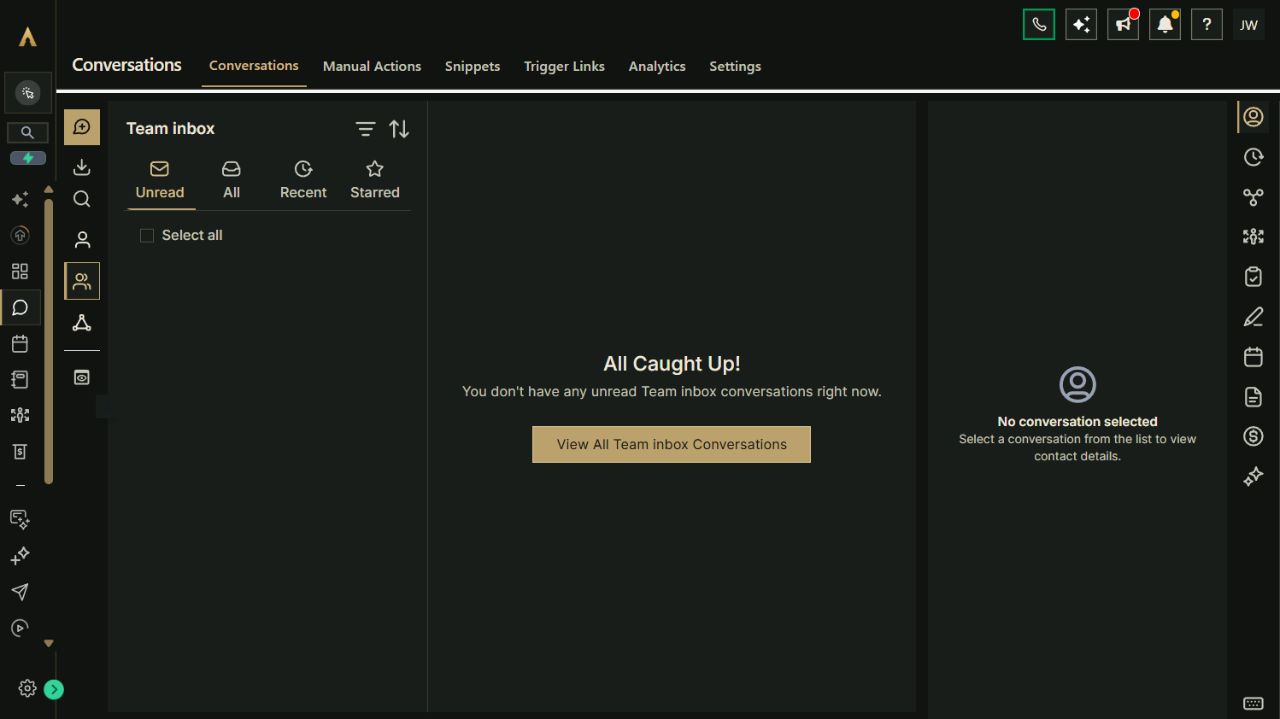
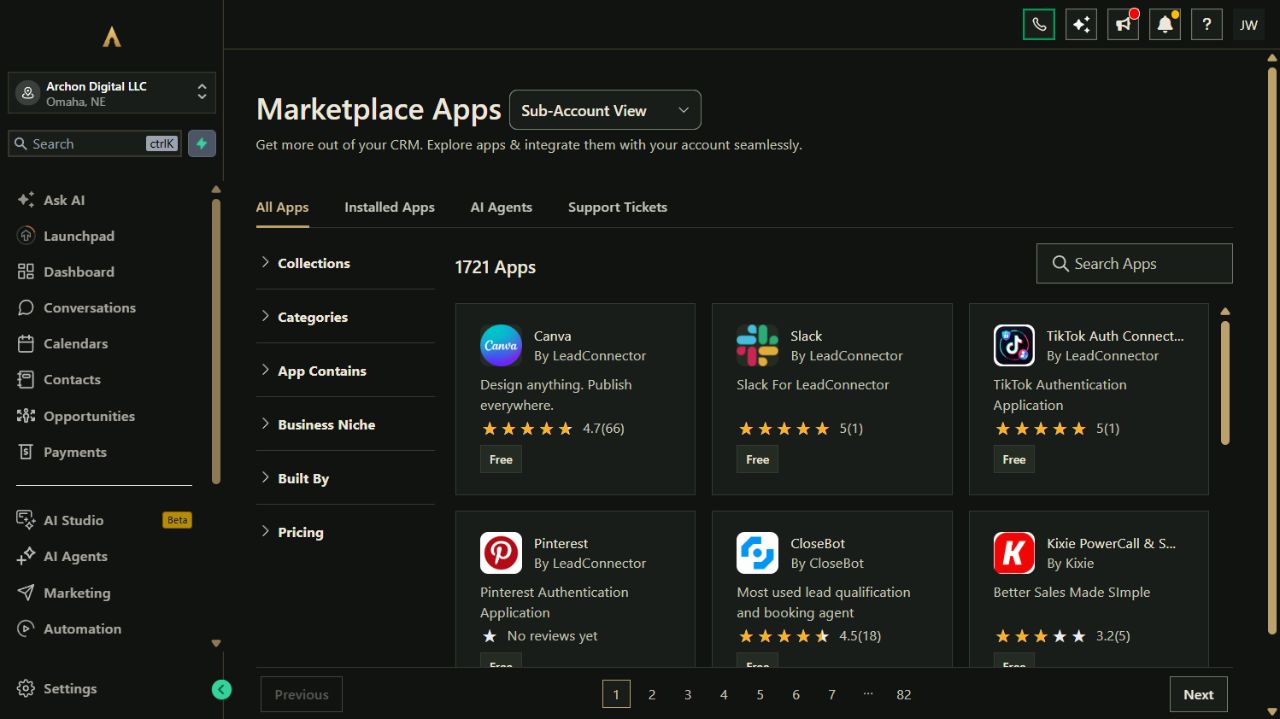
Actual Archon demo workspace. These screens are product examples, not customer results. Tools and connected channels depend on your plan and configuration.
01 / Customer conversationsReal workspace preview
Make the platform earn its place
Workflows for the work you do every week.
Explore how the tools can work together. These are configuration playbooks to adapt and test in your workspace; they are not automations installed by opening this page.
01Connect an event inquiry to the right menu proposal.The event brief and client conversation stay together while your team assesses an in-house or catered event.
Collect the requested date, venue, guest count, service format, menu preferences and contact preference through your event page.
Keep one client record and event inquiry, then assign the person who checks capacity, crew, logistics, budget fit and pricing.
Prepare the menu proposal in your chosen quoting process and arrange a consultation, venue visit or tasting if useful.
Record the outcome and stop inquiry follow-up on a reply, decline, opt-out or staff-confirmed engagement; agree event terms separately.
Paste the brief into Archie’s text chat or your own assistant to work through the setup. You choose what to enable.
02Coordinate a seasonal menu or catering campaign.Your menu page, social content and opted-in audience see the same restaurant or catering offer while it is available.
Prepare the menu or catering-offer page and check dates, prices, service area and the destination customers should use.
Draft matching social posts and a message for the guest or client segment that agreed to receive these updates.
Preview each channel and test the links with your team before scheduling or sending.
Pause or update the campaign when the offer, service capacity or availability changes, and stop direct follow-up after replies, engagements or opt-outs.
Paste the brief into Archie’s text chat or your own assistant to work through the setup. You choose what to enable.
03Connect completed service to feedback and repeat business.Guest and client feedback informs a consistent relationship after a restaurant visit or catered event.
Have the service or event owner confirm completion and identify the eligible guest or client record.
Check contact preferences and send one consistent review request or share the business's review QR card.
Prepare a separate return-visit or future-event invitation only for a segment that agreed to marketing, using an appropriate interval.
Stop on a reply, decline, new engagement or opt-out and suppress duplicate requests from your restaurant or catering systems.
Paste the brief into Archie’s text chat or your own assistant to work through the setup. You choose what to enable.
Your platform. Your ecosystem.
Replace the patchwork. Keep what works.
Bring common business work into Archon.tools and connect the specialist apps you still need. Each option below has its own scope and setup requirements.
Built-in connection
Google Business Profile
Keep supported business details, hours, photos and review work alongside your restaurant and catering relationships.
Connection scope
Select an eligible business profile with the required owner or manager access and reputation category. Check changes on Google after publication; this does not connect table inventory, ordering or event capacity.
Costs & requirements
Sending usage and any separately chosen reputation services are extra.
Bring supported guest, menu and catering-event messages into your customer inbox instead of searching across social accounts.
Connection scope
Connect the correct Facebook Page and linked Instagram account, grant messaging access and test incoming messages and replies. Contact matching and channel rules apply; a message is not a confirmed booking or order.
Costs & requirements
Use your own business accounts. Paid ads, optional AI and other separately enabled services are extra.
Use your own Square account for eligible restaurant or catering payment experiences after separate setup and testing.
Connection scope
Choose the intended Square location and test the supported payment flow. A payment connection does not synchronize your full POS menu, kitchen tickets, stock, tables or delivery operations.
Costs & requirements
Square processing fees, subscriptions and any separately chosen payment services are extra.
Fit event consultations, venue visits and tastings around the person hosting the conversation.
Connection scope
Each host connects their account and chooses linked and conflict calendars. Requires the booking category. Test changes; consultation availability does not establish table, kitchen, crew, vehicle or event capacity.
Costs & requirements
Use your own Google account. Any Google subscription and appointment-message usage are separate.
Keep accounting in QuickBooks while reviewing supported customer and sales-receipt connections around your client workspace.
Connection scope
Contact matching uses email and sync behavior varies by record. Review old-record imports and the optional first-paid-invoice review request so it does not send before service or event completion. This is not a menu-proposal, job-costing or catering-operations integration.
Costs & requirements
Your QuickBooks subscription and any payment-processing charges are separate.
Archon.tools connects your public presence, client relationships and marketing. Table reservations, POS, kitchen tickets, stock, menu costing, production plans, crew allocation and delivery routing need their own fit review and supported specialist setup.
Choose the business tools your team needs.
The suggested four are website, customer hub, campaigns and reputation. Swap a category for booking when consultations are the priority, or choose Apex for all seven. Courses, communities and reporting are other available categories. Connections require authorization and testing.
Keep the offer and the operating decisions with your team.
Your team owns menu accuracy, capacity, crew and logistics, pricing, proposals, agreements and food-related requirements. A CRM stage, consultation or payment does not confirm an event. Optional AI, paid apps, sending, processing and specialist subscriptions are separate from the workspace trial.
A recommendation, not a restriction
Try your connected workspace FREE.
Start with Nexus Executive and the four categories recommended for restaurants & catering. You can choose a different combination on the main plan selector.
Nexus Executive: $197/month after the trial. Card required; renews automatically unless canceled. Cancel from your account and retain access through the end of the period. Prices exclude applicable tax. Usage and paid extras are separate. Setup is self-service with written guides; there is no setup fee.
Archon Digital / Custom work
Make the platform yours. Build beyond it.
Need a custom website, integration or workflow around your business? Archon Digital offers design and engineering work with an agreed scope, separately from your workspace subscription.
Can I keep my POS, reservations and walk-in service setup?
Yes. Consolidate the website, customer and marketing work that fits while keeping your restaurant operating systems. Walk-in service, POS orders and table reservations stay in their agreed process. You can link to an existing ordering or reservation destination; live data sync needs a specifically supported connection. Square payments do not bring over your full POS menu, tables or kitchen tickets.
Can I handle private dining and off-site catering inquiries together?
Yes. Publish menu and service pages, capture an event brief, organize the client conversation and prepare a menu proposal in your chosen quoting process. Your team checks capacity, crew, logistics, pricing and terms. Booking is outside the suggested four: change your selection or choose Apex to schedule consultations and tastings. A consultation does not confirm the event.
Does the platform run the kitchen or coordinate catering deliveries?
The platform brings the business relationships and marketing together. Kitchen production, food stock, menu costing, staffing and delivery dispatch need your operational tools or a separately verified connection. Event-preparation messages can be configured after your team confirms the work, but an invoice, calendar entry or contact update is not proof that service is complete.