Connect appointment requests, front-desk messages, reviews and permission-based follow-up for salons, barbers, spas, nail and massage studios, and IV/wellness business administration.
Bring front-desk conversations, appointment requests and permission-based follow-up together in Archon.tools Workspace. For IV and wellness businesses, this supports customer communications and appointments only.
Your recommended four
Included in this trial selection
01
Customer hub & inbox
Keep the client's conversation with their record.
Find customer details and supported inbox conversations together. Assign the next reply with context; keep medical or treatment details out of general customer records and campaigns.
02
Booking & calendars
Coordinate the next appointment.
Offer configured appointments for your services and team, connect supported calendars and prepare the confirmations your customers need. For IV and wellness businesses, use this for front-desk scheduling communication only.
03
Follow-up & campaigns
Give your brand a consistent presence.
Plan your own service updates, seasonal offers and permission-based follow-up from one platform, with audience and schedule controls. Keep IV and wellness messages administrative; do not use them for medical guidance.
04
Reviews & retention
Make customer feedback part of the visit.
Request feedback consistently after a staff-confirmed service, manage supported review destinations and make a review QR card for your front desk.
Room to expand
Make it your own.
Choose a different four, or open all seven categories with Apex.
05
Website & forms
Give your personal care business a home online.
Show your services and team with your own images and service pages. Connect each page to the appointment experience you choose. Keep health or treatment claims and clinical intake in separately reviewed systems.
06
Courses & communities
Share your own expertise beyond the appointment.
Organize staff-authored service guidance or non-clinical customer resources with member access you control. This does not provide medical advice or a clinical record.
07
Reporting
Review more of your business in one place.
Compare supported appointment, inquiry and campaign activity over the same period. Keep the measures tied to the underlying records and do not infer clinical outcomes.
The customer side of the service
A thoughtful visit has a rhythm.
Carry the first service question into an agreed appointment, then make the next step clear after the visit. The front desk connects each handoff while your team keeps the service details in view.
01 / BARBERINGConsultation before the cut
02 / SPA & WELLNESSA prepared room. A considered visit.
Illustrative appointment pathConfigured and confirmed by your team
01
First question
Connect a social inquiry to an appointment.
A customer's question, conversation and appointment can stay connected as your team identifies the right service or staff member.
Fewer tools to juggle. More business in one place.
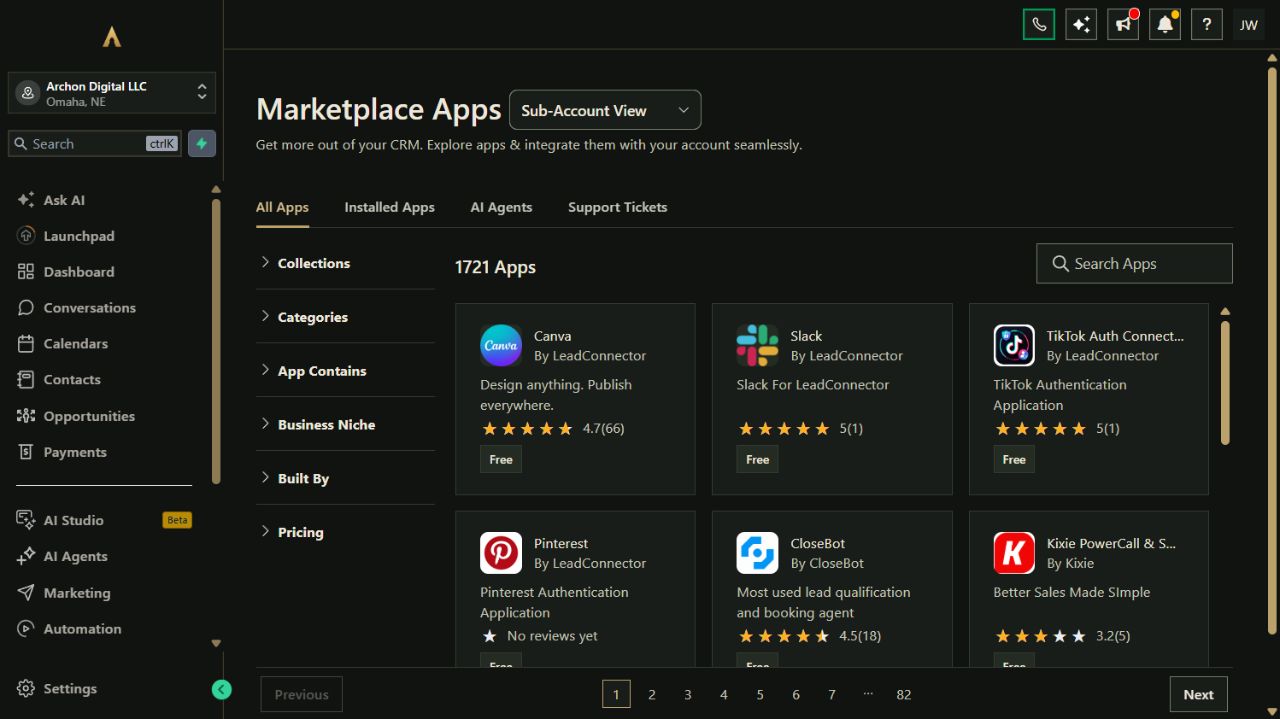
Your website, customer records, campaigns, bookings and other selected tools belong to one connected platform. Keep the specialist software you rely on and expand through the App Marketplace.
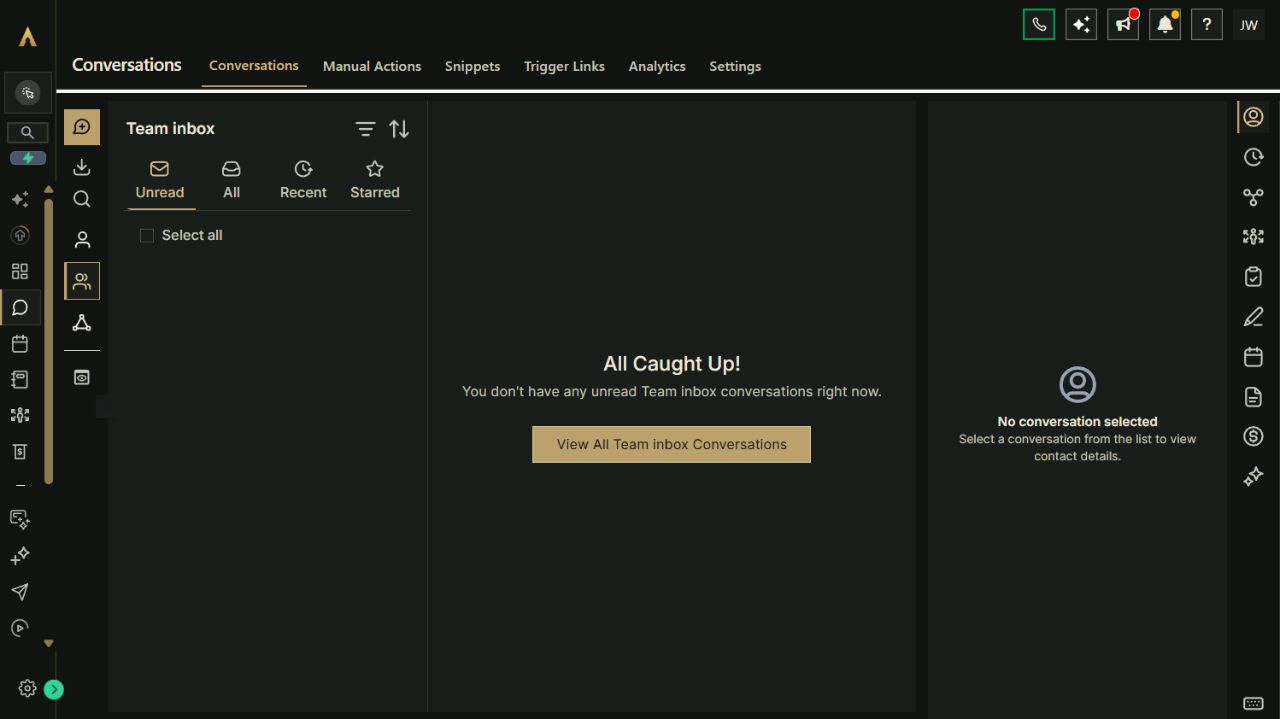
Actual Archon demo workspace. These screens are product examples, not customer results. Tools and connected channels depend on your plan and configuration.
01 / Customer conversationsReal workspace preview
Put it to work
From the first question to the next visit.
Connect your tools around the work you do. Choose a setup guide to adapt and test in your workspace.
01Connect a social inquiry to an appointment.A customer's question, conversation and appointment can stay connected as your team identifies the right service or staff member.
Receive a supported Instagram or Facebook message in the customer inbox.
Review the customer's contact and appointment preferences and answer administrative questions about the service they want.
Share the booking link for the right appointment type and available team member.
Check the booked appointment and send the non-clinical preparation information your team has approved. Do not collect medical history or treatment details in the general inbox.
Paste the brief into Archie’s text chat or your own assistant to work through the setup. You choose what to enable.
03Connect a completed visit to the next conversation.Feedback and relevant return-visit invitations follow the visit without turning every customer into a generic campaign.
Have your team confirm that the appointment took place and is ready for feedback.
Check contact preferences and send one consistent request to the correct review destination.
Choose a relevant return interval for your service and the customer's preferences.
Invite opted-in customers to book again, with stop conditions for replies, new bookings and opt-outs.
Paste the brief into Archie’s text chat or your own assistant to work through the setup. You choose what to enable.
Your platform. Your ecosystem.
Keep the tools you need. Connect customer work.
Bring common business work into Archon.tools and connect the specialist apps you still need. Each option below has its own scope and setup requirements.
Your selected Workspace tools
Four connected categories for your starting point.
Jump to a tool in your recommended Workspace selection. Add specialist apps when your operating process calls for them.
Choose the connections that fit your business. Confirm account eligibility, the data to connect and any third-party costs before setup.
Microsoft Outlook / Microsoft 365
Keep supported one-to-one Outlook / Microsoft 365 customer email in context and coordinate bookings with your cloud calendar. Connect email and calendar separately.
Email and calendar connect separately. Automated campaigns use the Workspace email provider; on-premises Exchange calendars are not supported. Supported connection. Availability and permissions depend on your account.
Microsoft Teams
Add Teams meeting links to eligible consultations and online appointments. Connect a work or school Teams account separately from Outlook.
Requires a work or school Teams account; connect separately from Outlook. Supported connection. Availability and permissions depend on your account.
Instagram
Handle supported customer messages and prepare visual service updates.
An eligible professional account and the required Meta permissions are needed. Supported connection. Availability and permissions depend on your account.
Facebook
Bring supported Page conversations and inquiries into the customer hub.
Page permissions required. Social publishing and reviews can also be configured. Supported connection. Availability and permissions depend on your account.
Google Calendar
Coordinate appointments using each host's connected calendars.
Calendar permissions and linked/conflict-calendar settings must be confirmed. Supported connection. Availability and permissions depend on your account.
Google Business Profile
Manage supported local-profile and review activity.
Requires the appropriate access to your business profile; supported publishing can also be configured. Supported connection. Availability and permissions depend on your account.
Stripe
Assess eligible payment experiences for services or courses.
Checkout is separately configured and tested; processing fees and account eligibility apply. Separate setup. Availability and permissions depend on your account.
QuickBooks
Review supported customer and accounting record connections.
Sync direction varies by record. Existing and newly created invoices behave differently. Supported connection. Availability and permissions depend on your account.
Built-in connection
Google Calendar
Connect the calendars your staff use and choose which busy times should block appointments.
Connection scope
Connections are specific to each host. Check service duration, staff and resource requirements, time zones and rescheduling before replacing an existing booking setup. Use for appointment coordination, not clinical intake or records.
Costs & requirements
Use your own Google account. Any Google subscription and appointment-message usage are separate.
Bring supported social conversations into your customer inbox so service and appointment questions stay easier to find.
Connection scope
Connect the correct Facebook Page and linked Instagram account, allow messaging access and test both incoming messages and replies. Channel rules and contact-matching settings apply; do not use the inbox for sensitive health information or medical guidance.
Costs & requirements
Use your own business accounts. Paid ads, optional AI and other separately enabled services are extra.
Keep supported business-profile and review work alongside the customer relationships behind it.
Connection scope
Requires the reputation category and access to the correct business profile. Apply consistent feedback criteria and review your request settings before sending. Do not request health information in review messages.
Costs & requirements
Message usage and any separately chosen reputation services are extra.
Compare staff availability, service combinations, appointment lengths, deposits and cancellation rules before switching booking systems. Walk-in queues, chair rentals, commissions, specialist POS and stock need their own fit review.
Choose a platform that fits your brand.
The four-tool starting selection covers customer hub, booking, campaigns and reputation. Website, courses and communities, and reporting are additional choices or part of the full suite.
Keep personal and clinical information out of general marketing tools.
This page covers front-desk communication and appointments for salons, barbers, spas, nail and massage studios, and IV/wellness businesses. It does not provide medical advice, diagnosis or clinical records. Do not place health history, symptoms or treatment details in general forms, inboxes or campaigns. Optional AI, paid apps, sending and processing costs are separate.
A recommendation, not a restriction
Try your connected workspace FREE.
Start with Nexus Executive and the four categories recommended for salons, barbers, spas, nail and massage studios, and IV wellness businesses. You can choose a different combination on the main plan selector.
Nexus Executive: $197/month after the trial. Card required; renews automatically unless canceled. Cancel from your account and retain access through the end of the period. Prices exclude applicable tax. Usage and paid extras are separate. Setup is self-service with written guides; there is no setup fee.
Optional AI tools
A useful next layer for your business.
Start with the Workspace FREE 30-day trial above. These AI add-ons are optional, separately billed, and follow their own terms.
Recommended for this business
Answer front-desk questions and prepare review replies.
Help clients find appointment information and draft review responses for staff review. For wellness providers, keep assistant content to non-clinical front-desk information.
AI Lead Assistant
AI Reputation Assistant
AI Lead Assistant$49/month
AI Reputation Assistant$29/month
AI add-ons: $78/month total. Workspace and applicable tax are separate. One $20 per calendar-month usage budget is shared across selected native AI tools; no automatic extra usage charges are billed. Phone numbers and carrier costs are separate where applicable.
AI add-ons are separate from the FREE trial. When they are available for your workspace, you can request them from your account.
Archon Digital / Custom work
Make the platform yours. Build beyond it.
Need a custom website, integration or workflow around your business? Archon Digital offers design and engineering work with an agreed scope, separately from your workspace subscription.
Can Archon.tools replace our booking or POS system?
It can support connected customer conversations, calendar-based appointments and campaigns. It does not provide a walk-in queue, full POS, inventory, payroll or complex staff and service rules. Keep those specialist functions unless a separate fit review confirms your exact workflow.
Can I keep my current booking and point-of-sale tools?
Yes. Compare what you want to consolidate and what your specialist system still needs to handle. Review any supported connection before relying on it. A payment-provider connection does not automatically bring over your inventory, service rules or full POS catalog.
Can staff use individual schedules? What about walk-ins?
Supported calendar connections are tied to individual hosts. Each team member connects their intended account, and you review appointment types, permissions and availability. Check complex services and shared-resource rules before switching. A booking calendar does not by itself provide a walk-in queue; retain or qualify the specialist system you need for that.
Can AI answer questions for my personal care business?
Text and voice assistants are optional services. We confirm the supported channels, knowledge, setup and usage costs before activation. Do not use them for diagnosis, treatment recommendations or sensitive health information. These services are separate from the workspace plan and its trial.
Can IV and wellness businesses use this for clinical intake?
This solution supports front-desk communications and appointment coordination only. It does not provide medical advice, diagnosis, clinical records or clinical intake. Keep health history, symptoms, treatment details and other sensitive health information out of general forms, inboxes and marketing campaigns.