
In your recommended four
Website & forms
Show the spaces you create.
Build project and service pages with your own portfolio, service-area information and inquiry forms. Keep the first conversation connected to the customer record.
 ARCHON.TOOLSARCHON DIGITAL LLC
Archon.tools · Navigation
Archon.tools for landscape design & installation firms
Bring your portfolio, customer conversations, consultations and marketing into one platform. Replace overlapping software around your landscaping business, keep the job tools you need, and expand through thousands of marketplace apps and integrations.
FREE 30 days. Nexus Executive with four recommended tools. Card required; then $197/month unless canceled. Usage, paid extras and tax are separate.
Room for a growing business.
Archon.tools / Made for the way you workLess software to juggle
Connect the business around landscape design and installation, from project interest and site consultations to seasonal marketing and customer care.
Website & forms
Build project and service pages with your own portfolio, service-area information and inquiry forms. Keep the first conversation connected to the customer record.
Customer hub & inbox
Organize property-owner details, supported messages, inquiry stages and tasks. Give the next person handling the conversation the context already collected.
Booking & calendars
Offer consultation times around the right host's availability and connected calendars. Set visit details and reminders while your team checks travel and project suitability.
Follow-up & campaigns
Plan your own social content and permission-based campaigns for the projects and seasonal services you offer. Choose the audience, timing and stop rules.
Reviews & retention
Request feedback consistently after a confirmed installation, manage supported reviews and make a review QR card for your customer handover.
Courses & communities
Organize your own planting, preparation and maintenance lessons in a course or community space with member access you control.
Reporting
Review supported inquiry, appointment and campaign activity together. Check the underlying records before comparing seasons or deciding where to invest.
Choose from seven tool categories and explore thousands of marketplace apps and integrations. Availability, permissions, compatibility and third-party prices vary.
Explore the ecosystemSee the platform at work
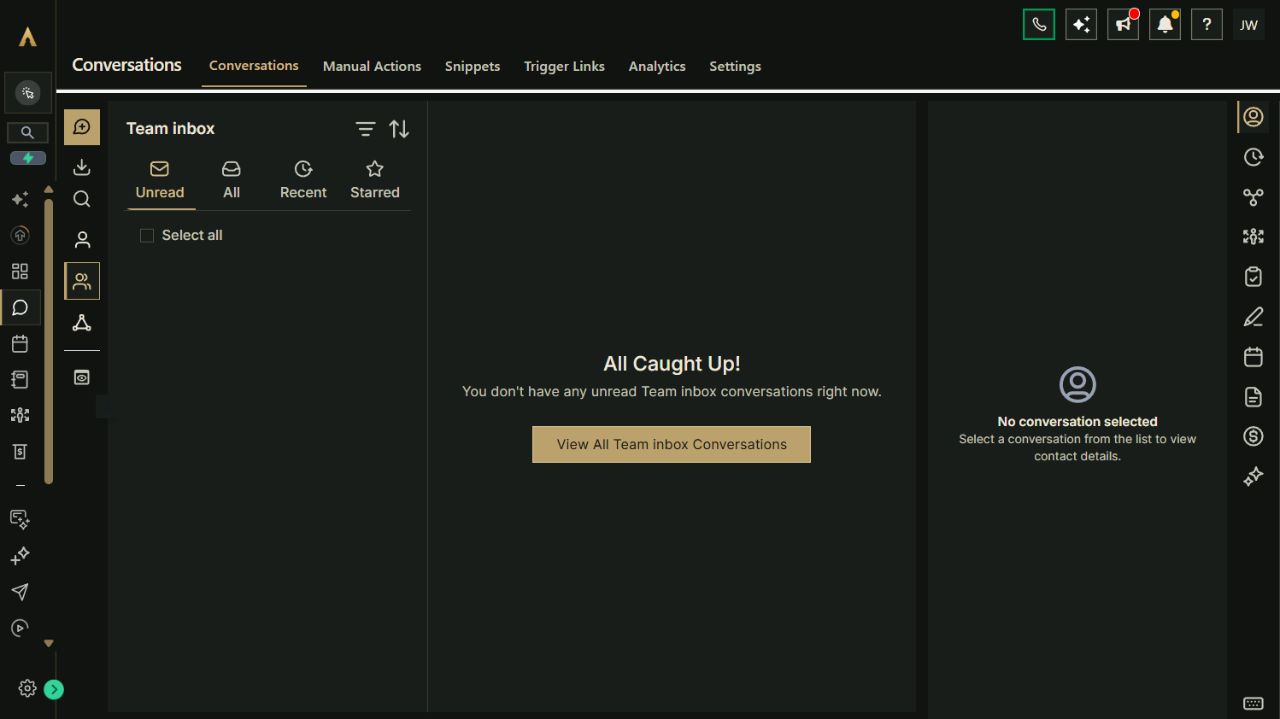
Your website, customer records, campaigns, bookings and other selected tools belong to one connected platform. Keep the specialist software you rely on and expand through the App Marketplace.
Explore the full workspace previewActual Archon demo workspace. These screens are product examples, not customer results. Tools and connected channels depend on your plan and configuration.
Make the platform earn its place
Explore how the tools can work together. These are configuration playbooks to adapt and test in your workspace; they are not automations installed by opening this page.
Paste the brief into Archie’s text chat or your own assistant to work through the setup. You choose what to enable.
Paste the brief into Archie’s text chat or your own assistant to work through the setup. You choose what to enable.
Paste the brief into Archie’s text chat or your own assistant to work through the setup. You choose what to enable.
Your platform. Your ecosystem.
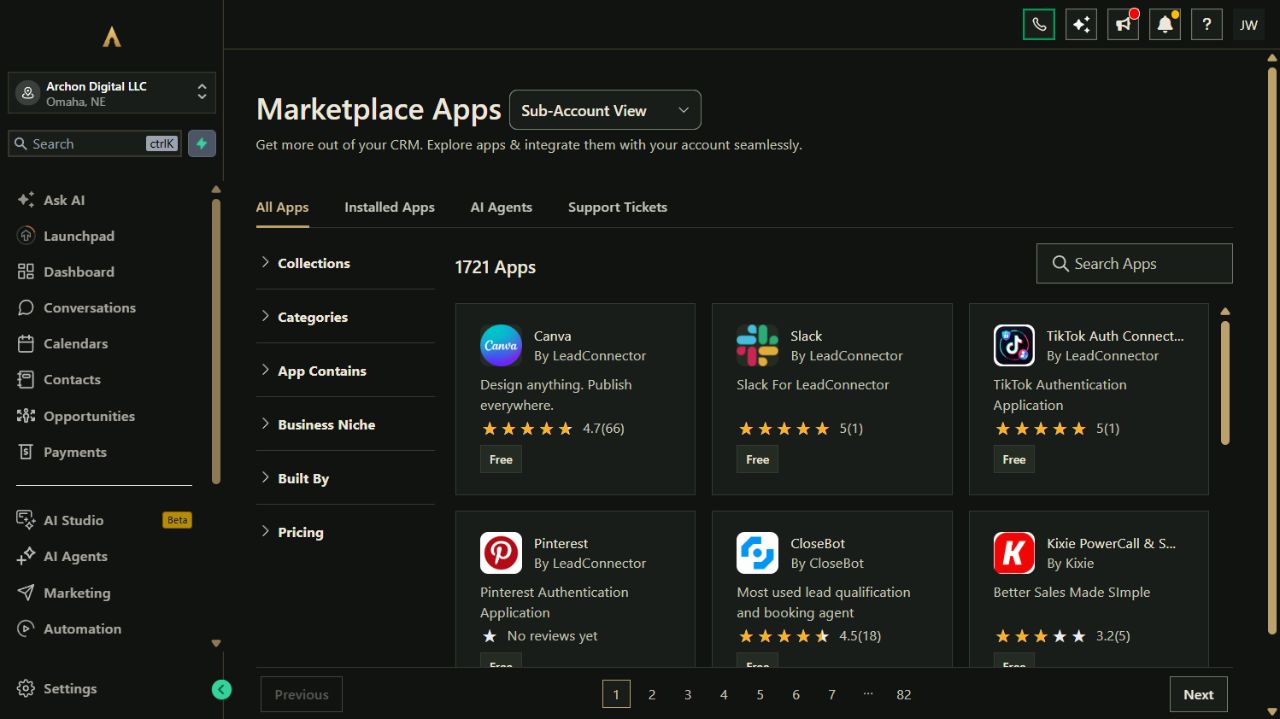
Bring common business work into Archon.tools and connect the specialist apps you still need. Each option below has its own scope and setup requirements.
Marketplace app
Keep job operations in Jobber while sharing selected client details with your customer and marketing workspace.

Built-in connection
Connect the calendars your appointment hosts use and choose which busy times should block availability.

Built-in connection
Bring supported business-profile and review work alongside the customer relationships behind it.

Built-in connection
Keep your accounting system and assess supported customer and payment-record connections around it.
Make it yours
Use our written guides for the tools on your plan. Archie is here to answer questions while you explore.
Use the existing form guide, then ask for the service-area and project details your team actually needs.
Set availability, connect the intended calendar and test an appointment before sharing the link.
Start with a focused audience and trigger, review timing and stop rules, and test the sequence.
Using your own assistant? Open the complete setup reference
Building a direct connection? Explore the API & MCP developer preview
A considered fit
These tools support the customer and marketing side of landscape design and installation. Crew routing, dispatch, materials, job costing and maintenance-route schedules need specialist systems or a separately confirmed connection.
The four-tool starting selection covers website, customer hub, booking and campaigns. Reputation, courses and communities, and reporting are additional choices or part of the full suite. Connection options are not installed apps.
AI assistants, sending usage, paid apps, payment processing and custom builds are separate from your workspace trial. Confirm their scope and costs before enabling them.
A recommendation, not a restriction
Start with Nexus Executive and the four categories recommended for landscape design & installation firms. You can choose a different combination on the main plan selector.
Nexus Executive: $197/month after the trial. Card required; renews automatically unless canceled. Cancel from your account and retain access through the end of the period. Prices exclude applicable tax. Usage and paid extras are separate. Setup is self-service with written guides; there is no setup fee.
Archon Digital / Custom work
Need a custom website, integration or workflow around your business? Archon Digital offers design and engineering work with an agreed scope, separately from your workspace subscription.
Before you start
The starting focus is landscape design and installation: your online presence, project inquiries, consultations and marketing. Keep specialist route, crew and job systems where you need them. A consultation calendar is not a dispatch system.
Yes. The Jobber marketplace app can share selected client details after agency installation and your authorization. It does not make every job, quote, note or attachment available in both systems. Review the actual data and message ownership before connecting.
They are recipes to adapt to your services, audience and capacity. You provide the content and contact permissions, choose the timing, and test the flow before activation. Sending usage and managed campaign work are separate.