Your sound. Your audience. One connected business.
Bring the business behind your music together: your website, fan relationships, booking inquiries and promotion. Replace overlapping business tools, keep your creative and performance setup, and expand through thousands of marketplace apps and integrations.
FREE 30 days. Nexus Executive with four recommended tools. Card required; then $197/month unless canceled. Usage, paid extras and tax are separate.
01 / Music & live entertainment
More room for the music.
Archon.tools / Made for the way you work
Less software to juggle
Bring the everyday together. Connect the specialist tools.
A connected business workspace for musicians, bands and DJs, with an artist website, press kit, fan communication, event inquiries, lesson consultations and release campaigns.
In your recommended four
Website & forms
Give your sound a home of its own.
Build an artist website and electronic press kit with your biography, cleared performance clips, press photos and listening links. Give fans, promoters and prospective students distinct ways to connect from the same site.
In your recommended four
Customer hub & inbox
Know the people behind the opportunity.
Keep fans, venues, promoters, event hosts and students organized with their relevant conversations. Give each booking inquiry an owner and a stage while keeping audience preferences separate from client work.
In your recommended four
Booking & calendars
Make planning and teaching easier to arrange.
Offer lesson consultations, recording-session discussions and event planning calls around connected host calendars. Review gig dates, travel and production needs separately before agreeing a performance.
In your recommended four
Follow-up & campaigns
Put your promotion on the same beat.
Coordinate your own release announcements, show updates, performance clips and permission-based fan messages. Keep the campaign, social calendar and interested audience together instead of managing each in isolation.
Available with another selection or Apex
Courses & communities
Build a place for teaching and community.
Organize your own technique lessons, production tutorials or behind-the-scenes resources in courses and community spaces. Choose the material, access and moderation you will provide; paid enrolment needs a separately tested setup.
Available with another selection or Apex
Reviews & retention
Let completed work support the next booking.
Request feedback consistently after lessons and confirmed client engagements. Use an eligible review destination and obtain permission before putting a host's quote or event footage in your promotion.
Available with another selection or Apex
Reporting
See the business behind the performances.
Review supported inquiry, appointment and campaign activity using the same period and definitions. Keep streaming, ticketing and touring figures in the services that actually hold those records.
A platform you can expand.
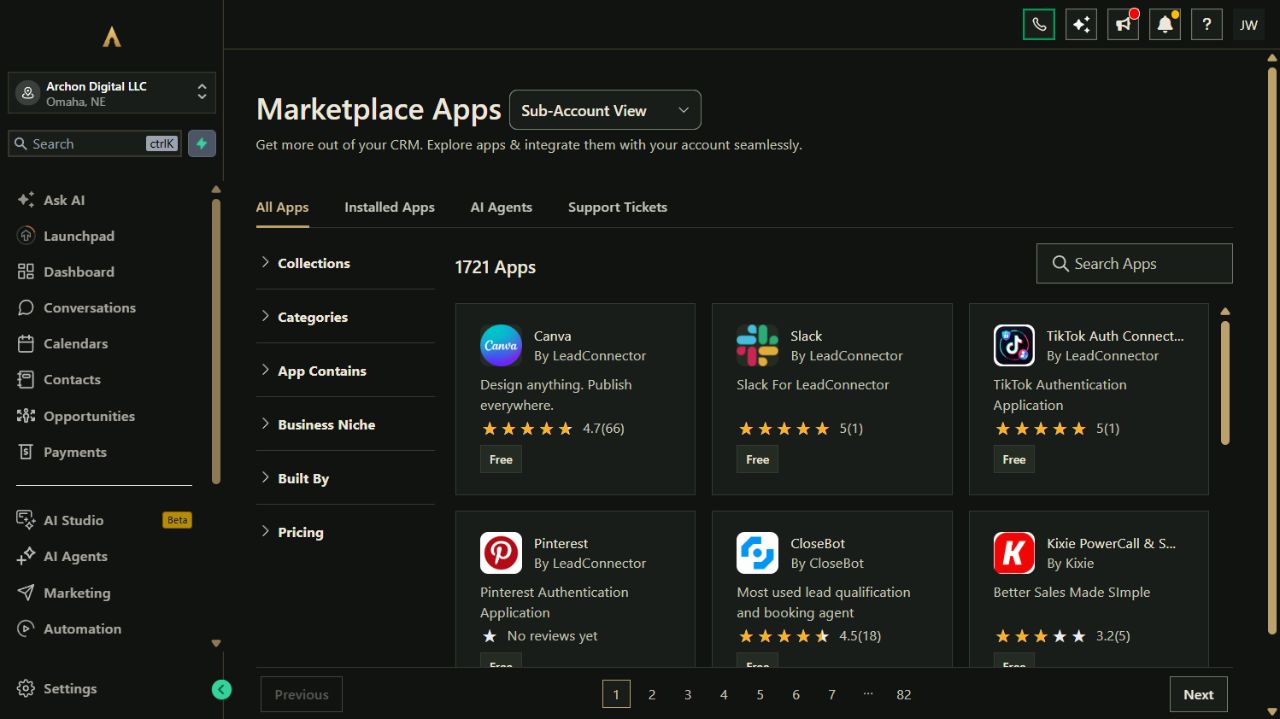
Choose from seven tool categories and explore thousands of marketplace apps and integrations. Availability, permissions, compatibility and third-party prices vary.
Fewer tools to juggle. More business in one place.
Your website, customer records, campaigns, bookings and other selected tools belong to one connected platform. Keep the specialist software you rely on and expand through the App Marketplace.
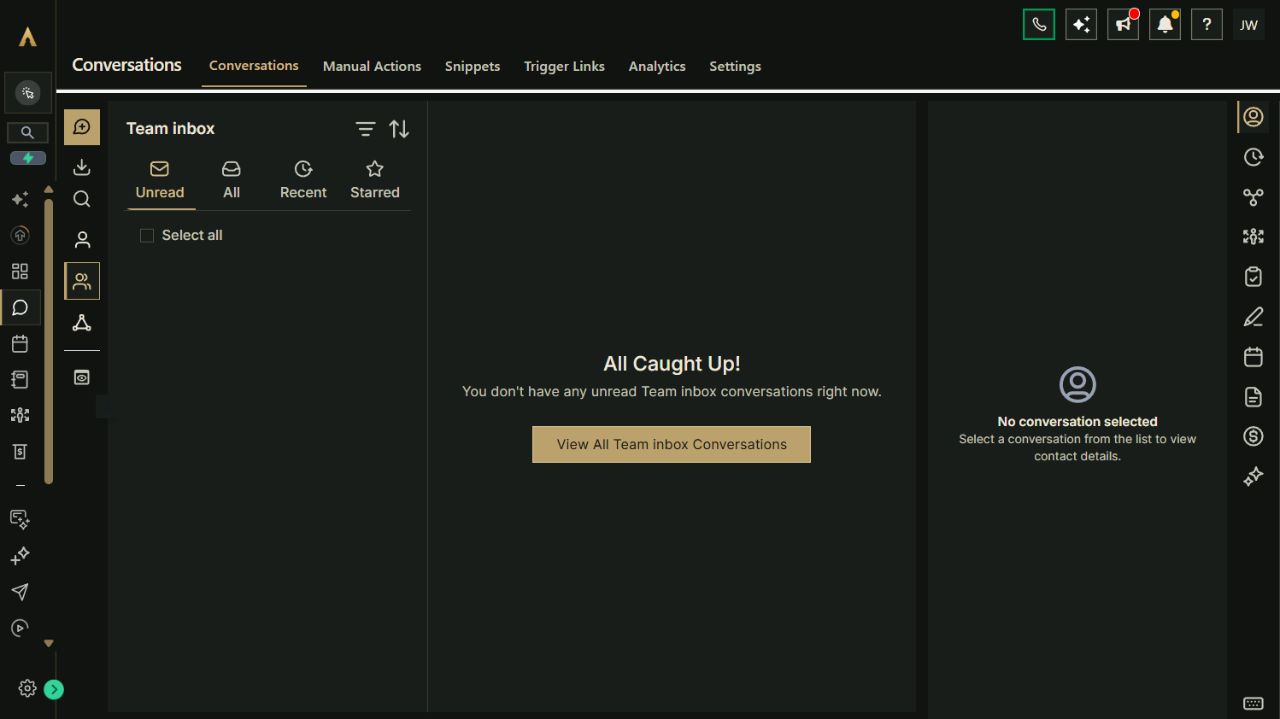
Actual Archon demo workspace. These screens are product examples, not customer results. Tools and connected channels depend on your plan and configuration.
01 / Customer conversationsReal workspace preview
Make the platform earn its place
Workflows for the work you do every week.
Explore how the tools can work together. These are configuration playbooks to adapt and test in your workspace; they are not automations installed by opening this page.
01Connect a lesson or session inquiry to the work.The request, conversation and consultation stay together while you agree a suitable lesson or session.
Collect the instrument or session request, goals, timing and useful preparation details through a focused form.
Keep the inquiry with the contact and review fit, availability and the work you can offer.
Invite a suitable prospect to the right consultation calendar and send the agreed preparation information.
Record the outcome and stop inquiry follow-up when the person replies, books, declines or opts out.
Paste the brief into Archie’s text chat or your own assistant to work through the setup. You choose what to enable.
03Bring a release, show or merch campaign together.Your site, supported social posts and fan communication share the right destination and audience.
Prepare the release or show page, cleared artwork and clips, and verified listening, ticket or merch-store links.
Choose the opted-in fan audience by its stated interests; use verified Shopify activity only where the store connection and preferences support it.
Draft channel-specific posts and fan messages, check dates and links, then test the selected campaign trigger and duplicate-send controls.
Check publishing and sending results; stop on an opt-out and pause on replies, changed release or event details, or a relevant order issue handled by your verified setup.
Paste the brief into Archie’s text chat or your own assistant to work through the setup. You choose what to enable.
Your platform. Your ecosystem.
Replace the patchwork. Keep what works.
Bring common business work into Archon.tools and connect the specialist apps you still need. Each option below has its own scope and setup requirements.
Built-in connection
Google Calendar
Connect your working calendar to lesson consultations, session discussions and event planning calls.
Connection scope
Each host authorizes their account and chooses linked and conflict calendars. Test availability and changes; calendar sync does not reserve every band member, a gig date or equipment.
Costs & requirements
Your Google account terms apply. Any paid Google services and appointment-message usage are separate.
Bring supported fan, promoter and event-host messages into the customer inbox with their contact records.
Connection scope
Authorize the correct Facebook Page and linked Instagram account with messaging permissions. Contact matching and channel reply rules apply; a follower or social message is not automatically a newsletter opt-in.
Costs & requirements
Use your own eligible accounts. Paid advertising, optional AI and other separately enabled services are extra.
Schedule supported performance videos, release clips, teaching videos and Shorts alongside your other promotional content.
Connection scope
The channel's primary owner authorizes the connection. Check format, visibility and publishing results. Publishing supplied clips does not distribute recordings to streaming services or clear music and footage rights.
Costs & requirements
Use your own channel and cleared media. Filming, editing, licensing and any separate YouTube services are extra.
Keep your merch store while bringing supported customer and order activity into your business workspace.
Connection scope
Authorize the store and select supported imports and ongoing sync. Confirm current order triggers and communication preferences independently; an imported purchase is not automatically a marketing opt-in.
Costs & requirements
Your Shopify plan, processing, fulfillment and any store apps are separate. Store builds and migrations are scoped separately.
Prepare eligible payment links, appointment payments or course purchases using the processor your business controls.
Connection scope
Authorize an eligible Stripe account and test the specific payment, access and cancellation experience before launch. A processor connection does not execute performance agreements or calculate music royalties.
Costs & requirements
Processing fees and paid payment services are separate. Checkout and any content delivery need their own setup and verification.
Keep the creative and performance tools you rely on.
Archon.tools consolidates the business around your music. Recording and DJ software, show control, equipment management, music distribution, royalty accounting and streaming analytics remain with specialist systems or separately reviewed connections.
Agree engagements and permissions deliberately.
A calendar or pipeline entry is not a signed performance agreement. You supply cleared music, footage and press assets; music and performance licensing, venue obligations and permission to publish event media remain part of your own process. Ticket inventory and admission stay with the ticketing service.
Build around the categories your business needs.
Start with website, customer hub, booking and campaigns, or change the selection. Courses, communities, reviews and reporting are further choices. Optional AI, sending usage, paid apps, processing and custom work have separate setup or costs; workflow examples need configuration and testing.
A recommendation, not a restriction
Try your connected workspace FREE.
Start with Nexus Executive and the four categories recommended for music & live entertainment. You can choose a different combination on the main plan selector.
Nexus Executive: $197/month after the trial. Card required; renews automatically unless canceled. Cancel from your account and retain access through the end of the period. Prices exclude applicable tax. Usage and paid extras are separate. Setup is self-service with written guides; there is no setup fee.
Archon Digital / Custom work
Make the platform yours. Build beyond it.
Need a custom website, integration or workflow around your business? Archon Digital offers design and engineering work with an agreed scope, separately from your workspace subscription.
Is this the same platform for solo musicians, bands and DJs?
Yes. The platform adapts to the business you run. A musician can organize students and session inquiries; a band can keep its press kit, venue contacts and fan updates together; a DJ can collect event briefs and arrange planning calls. Choose the categories, audiences and workflows that fit instead of maintaining separate systems for each role.
Can I keep my merch store, distributor and ticketing service?
Yes. The supported Shopify connection can share selected store records after authorization and setup. Link to releases and ticket pages from your site and campaigns. Music distribution, royalties, ticket inventory, admission, fulfillment and returns stay with their specialist services; we do not assume automatic Spotify, Bandcamp or ticketing-data synchronization.
Does a planning-call booking confirm the gig or lesson?
Use booking for the appointment types you have configured. Confirming the paid work still needs your availability, scope, fees and agreement checks. Paid lessons, deposits or course access need the appropriate processor and a tested customer experience. A calendar slot does not reserve every performer or piece of equipment.