Your dealership, shop, wash or customization business gives every driver a next step. Connect website inquiries, customer conversations, appointment requests and follow-up in Archon.tools Workspace.
Give drivers a clear way to explore your work, ask a question and book a conversation. Bring your website, customer follow-up, calendar and marketing together in Archon.tools Workspace.
Your recommended four
Included in this trial selection
01
Website & forms
Show drivers what you do and where to go next.
Create pages for inventory highlights, service specialties, collision work, wash plans or custom finishes using your own details and photography. Give each visitor a clear way to ask about the next step.
02
Customer hub & inbox
Keep each customer conversation in view.
Organize inquiries, supported inbox conversations, customer preferences and follow-up tasks, with specialist shop records available through a separately scoped connection where supported.
03
Booking & calendars
Make the next conversation easier to arrange.
Offer configured test-drive conversations, service consultations, collision walkarounds, wash-plan discussions or design appointments around host availability. Your team confirms the vehicle, shop or service capacity separately.
04
Follow-up & campaigns
Keep useful updates connected to the relationship.
Plan social content and permission-based follow-up for new arrivals, seasonal service information, completed work, wash offers or custom projects. Your team checks the audience, offer and timing before any message is sent.
The customer side of the business
From a vehicle question to the next visit.
Whether it starts with a test-drive request, service question or customization brief, give the customer a clear next step and keep the follow-up in view.
Illustrative customer-work path, configured to your business. A calendar helps arrange a conversation; your team confirms vehicle, staff and shop capacity in the systems that manage them.
Room to expand
Make it your own.
Choose a different four, or open all seven categories with Apex.
05
Reviews & retention
Make customer feedback part of the handoff.
Use supported review destinations and consistent feedback requests after staff-confirmed sales or service completion. Keep requests independent of expected ratings and customer marketing consent.
06
Reporting
Review supported inquiry and campaign activity.
Compare configured inquiry, appointment and campaign activity over the same period. Vehicle sales, repair revenue, parts, shop productivity and wash-lane throughput need their operational source records.
07
Courses & communities
Share care guidance or customer resources.
Organize your own vehicle-care lessons, ownership resources or community content when they fit your business.
Wraps · detailing · bodywork · repair
Show the finish. Start the conversation.
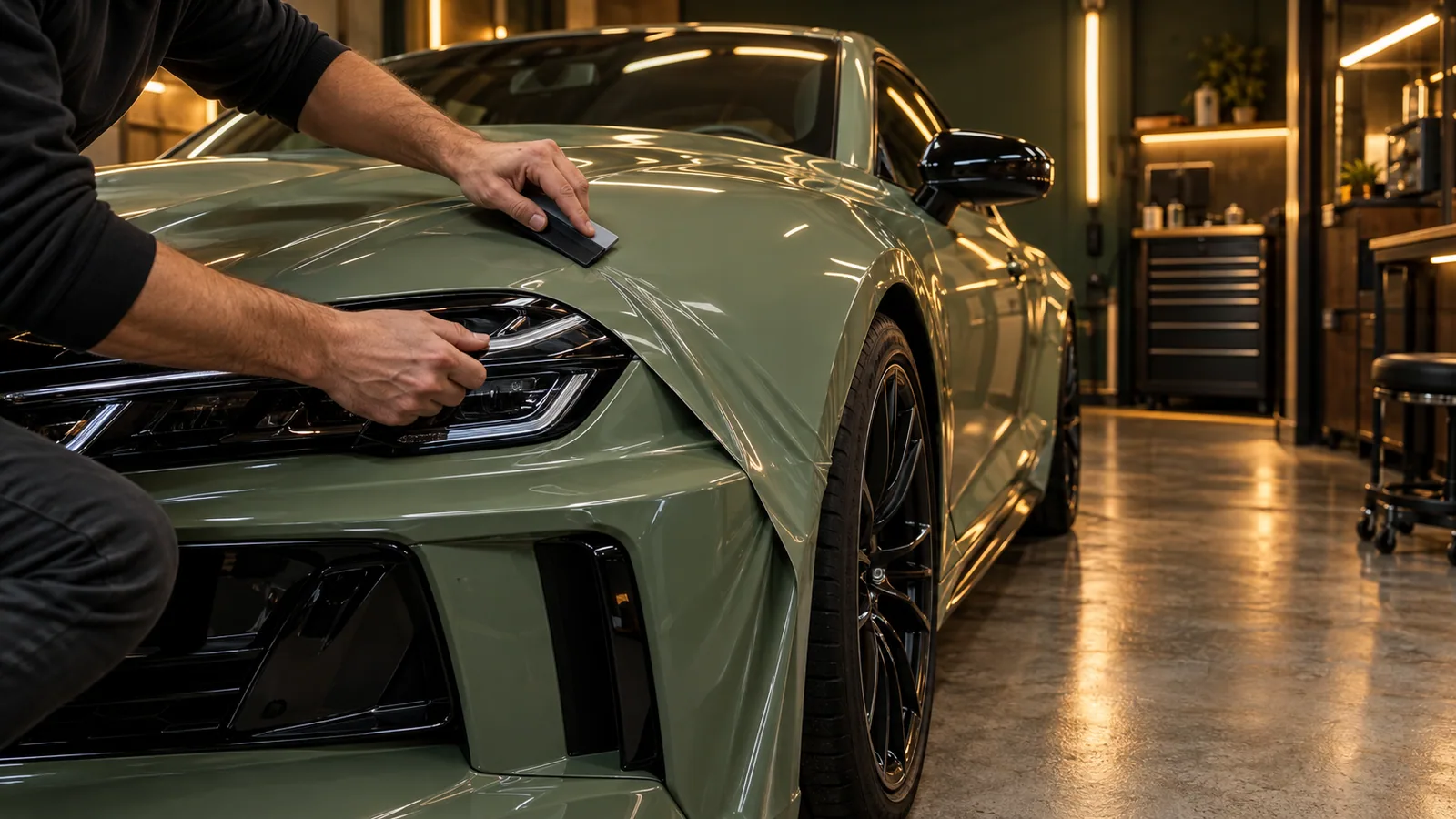
Turn your best work into the next inquiry. Collect vehicle details, photos and the customer's goals, then bring the right person into a consultation with the brief already in hand.
Keep test-drive requests, service conversations and permission-based follow-up in Workspace. Connect the dealer or shop system your team already uses around a clearly agreed data flow.
Fewer tools to juggle. More business in one place.
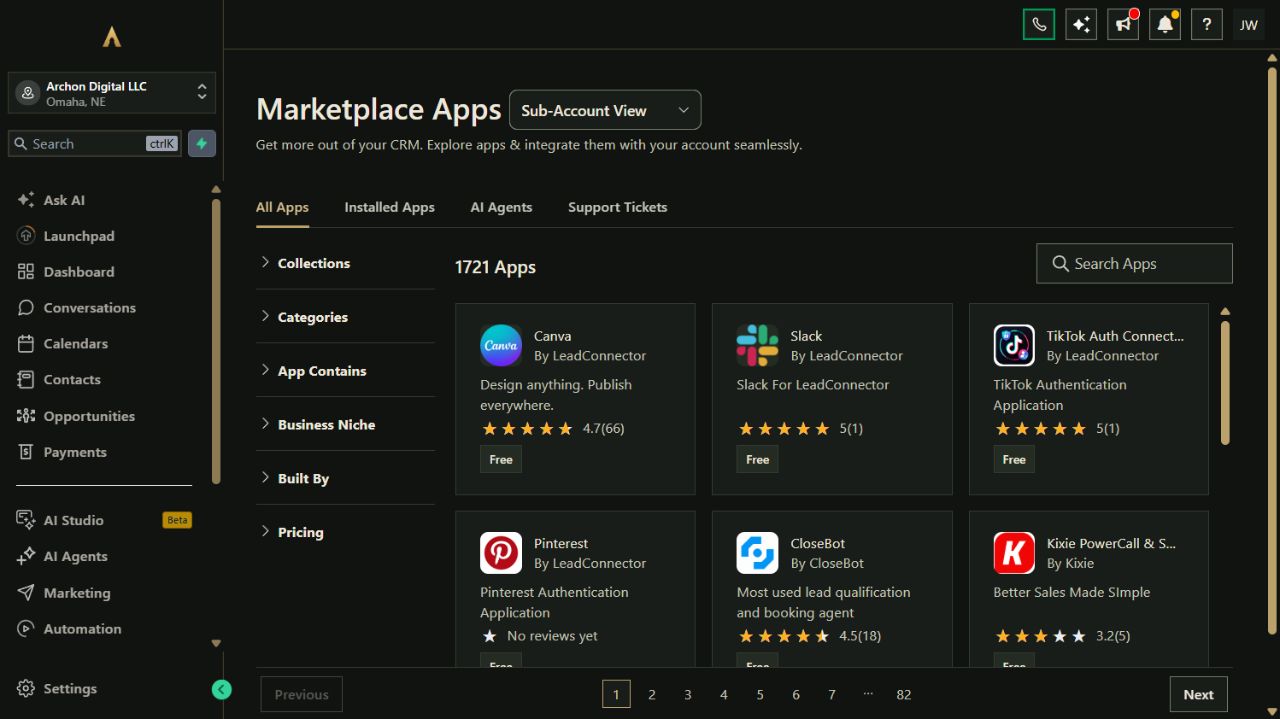
Your website, customer records, campaigns, bookings and other selected tools belong to one connected platform. Keep the specialist software you rely on and expand through the App Marketplace.
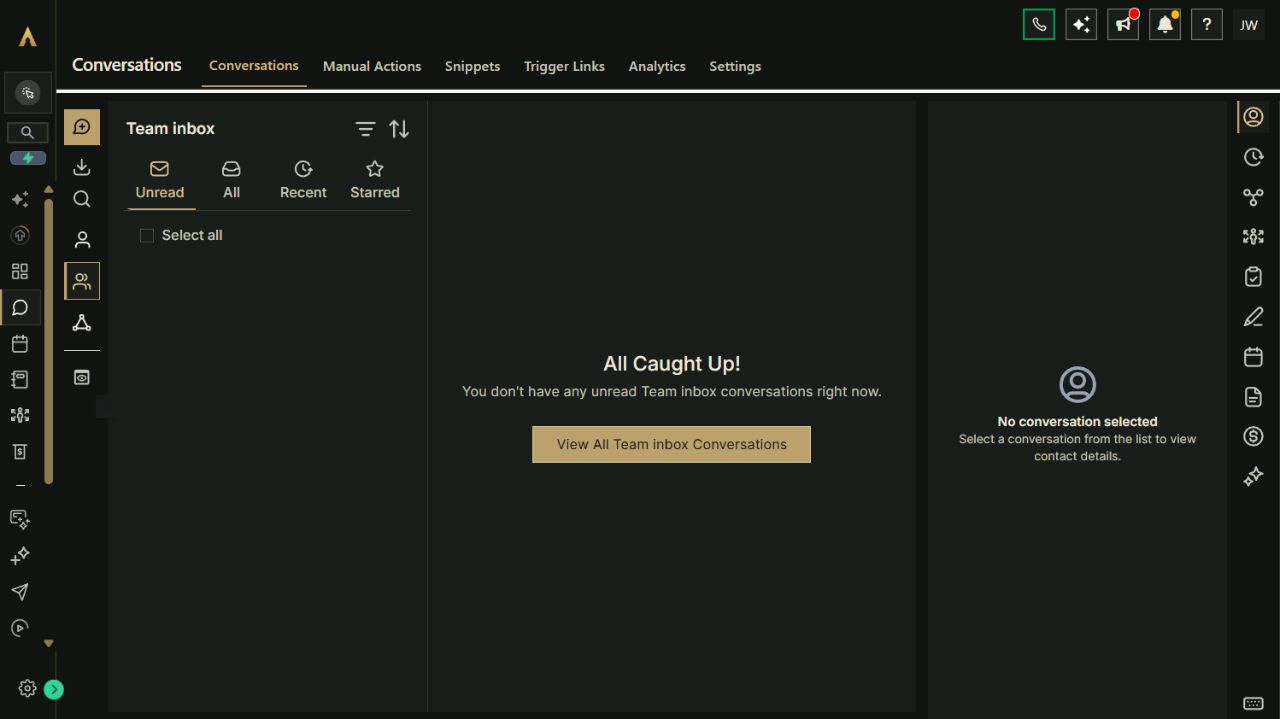
Actual Archon demo workspace. These screens are product examples, not customer results. Tools and connected channels depend on your plan and configuration.
01 / Customer conversationsReal workspace preview
Put it to work
From a first inquiry to the next visit.
Connect your tools around the work you do. Choose a setup guide to adapt and test in your workspace.
01Connect a vehicle inquiry to a test-drive conversation.A prospective buyer shares what they are considering and your team can follow up with the right next step.
Publish vehicle or inventory highlights with a clear inquiry form and the dealership's current contact destination.
Collect the vehicle of interest, preferred contact method and a suitable time to talk; verify current availability separately.
Assign the inquiry to the person who can answer questions and arrange any test-drive details in the dealership's process.
Stop automated follow-up on a reply, booking, decline or opt-out, and confirm the actual visit with your team.
Paste the brief into Archie’s text chat or your own assistant to work through the setup. You choose what to enable.
02Turn a mechanic inquiry into a service consultation.Drivers can describe a service need, and your team can follow up without treating a web form as a repair order.
Describe the services your shop accepts and collect a short, non-sensitive description of the driver's request.
Keep the inquiry and preferred contact time together, then assign a staff member to clarify the vehicle and concern.
Arrange a call or consultation through the configured calendar and confirm any shop intake process directly.
Record the next agreed step and stop follow-up when the customer replies, books, declines or opts out.
Paste the brief into Archie’s text chat or your own assistant to work through the setup. You choose what to enable.
03Arrange a collision-repair walkaround.A customer can request a conversation about collision work while your team handles inspection, documentation and estimates separately.
Explain the shop's collision-repair services and the information a customer may safely provide for an initial inquiry.
Capture contact preference and a requested consultation time without requesting sensitive claim documents in a public form.
Assign the conversation to a staff member who can arrange a walkaround and explain the shop's intake process.
Confirm inspection, insurer communication, repair scope and estimates through the shop's established process; stop messaging on reply or opt-out.
Paste the brief into Archie’s text chat or your own assistant to work through the setup. You choose what to enable.
04Connect a completed wash visit to an opted-in offer.A staff-confirmed visit can lead to consistent feedback and, separately, a relevant return invitation for customers who agreed to marketing.
Publish current wash options and link customers to the shop's actual purchase or visit process.
Have staff confirm completion before preparing a feedback request and use the same criteria for eligible customers.
Create a separate return-visit invitation only for an audience with recorded marketing permission and a current offer.
Stop on a reply, new purchase or booking, decline or opt-out, and suppress duplicates from any wash-management system.
Paste the brief into Archie’s text chat or your own assistant to work through the setup. You choose what to enable.
05Move a wrap or vehicle-customization inquiry into a design consultation.A customer shares the vehicle and project they have in mind, and your team can arrange a scoped design conversation.
Show examples of your own finishes and collect a project inquiry with vehicle type, broad goals and contact preference.
Assign the request to the person who checks fit, design requirements, timing and shop capacity.
Offer a consultation slot through the configured calendar and discuss vehicle inspection, materials, estimate and approval in your normal process.
Keep the agreed next action with the customer record and stop campaign follow-up on reply, booking, decline or opt-out.
Paste the brief into Archie’s text chat or your own assistant to work through the setup. You choose what to enable.
Your platform. Your ecosystem.
Keep vehicle operations. Connect customer work.
Bring common business work into Archon.tools and connect the specialist apps you still need. Each option below has its own scope and setup requirements.
Your selected Workspace tools
Four connected categories for your starting point.
Jump to a tool in your recommended Workspace selection. Add specialist apps when your operating process calls for them.
01Available Marketplace appsAdd tools built for automotive businesses.Start with Workspace for your website, customer relationships, booking and marketing. These optional Marketplace listings extend that setup; confirm account eligibility, permissions, vendor terms and any separate costs before installing.
Marketplace app · vehicle inventory
Turnover Inventory Builder
Display vehicle inventory on your Workspace website using manual entries, CSV, Google Sheets or a supported dealer/provider feed.
Connection boundary
Confirm feed format, update frequency and setup requirements. Website inventory display does not establish outbound listing syndication or marketplace lead import.
Marketplace app · dealership AI
AI That Sells Autos
Explore a dealership-focused AI app alongside your Workspace tools and Archie setup guidance.
Connection boundary
Review its supported channels, actions, data access and vendor pricing before setup. This optional app is not included or activated with the core Workspace plan.
Marketplace app · auto-repair booking
CleverBooking
Explore an additional booking option that lists auto repairs among its supported business uses.
Connection boundary
Compare its service types, scheduling rules and staff availability with the included Workspace calendar before choosing an extra app.
Explore Marketplace setup 02Custom integration candidatesConnect a specialist workflow with a defined scope.These are API or webhook paths to assess separately from Marketplace apps. Access, supported events, implementation and costs depend on the provider and your account.
Custom API or webhook connection
Shopmonkey
Keep repair orders, estimates, parts and shop workflow in your chosen shop system. Shopmonkey documents API and webhook paths for a specific handoff.
Connection boundary
Agree the event, fields, permissions and sync direction before implementation. No shop-system connection is included by default.
Related Workspace app
QuickBooks
Custom seller API connection
eBay Motors
Assess an authorized vehicle-listing workflow using eBay Motors' documented seller APIs.
Connection boundary
Seller eligibility, supported listing operations, fees and data mapping need a separate implementation. This is not a verified ready-made Workspace app.
Authorized partner connection
Carvana partner API
Explore a specific partner workflow if your business has Carvana's required API authorization.
Connection boundary
Carvana partner access is required. Its API portal does not establish an installed Workspace connector or unrestricted access to vehicle inventory.
03Listing and sourcing channelsKeep your vehicle marketplaces in the picture.Choose sales and sourcing channels for your business. A marketplace account or dealer feed is separate from a Workspace connection; the channels below are not presented as verified ready-made apps.
Dealer listing channels
CarGurus & Cars.com
Keep vehicle listings and dealer advertising with the channels you choose. Review the dealer feed and inquiry handoff available to your business with each provider.
Connection boundary
Listing distribution and lead import are separate scopes. CarGurus has developer tools, but a dedicated Workspace app for either channel has not been verified.
Vehicle search aggregator
AutoTempest
AutoTempest directs dealers to listing partners such as Cars.com or TrueCar to get inventory into its search experience.
Connection boundary
Confirm the partner's current participation and dealer terms. This partner route is not a direct AutoTempest inventory app for Workspace.
Selling and dealer sourcing channel
CarMax
Consider appraisal and selling options, or auction sourcing for eligible dealers, when they fit your operation.
Connection boundary
A dedicated Workspace connector has not been verified. Keep any customer or inventory handoff separately scoped.
Specialist vehicle auctions
Cars & Bids / Bring a Trailer
Consider these auction channels for suitable vehicles, following each platform's submission and acceptance process.
Connection boundary
A dedicated Workspace connector has not been verified. Automatic auction submission, inventory sync and lead import are not included.
Everyday business connections
Connect the tools you use across the business.
Choose the connections that fit your business. Confirm account eligibility, the data to connect and any third-party costs before setup.
Microsoft Outlook / Microsoft 365
Keep supported one-to-one Outlook / Microsoft 365 customer email in context and coordinate bookings with your cloud calendar. Connect email and calendar separately.
Email and calendar connect separately. Automated campaigns use the Workspace email provider; on-premises Exchange calendars are not supported. Supported connection. Availability and permissions depend on your account.
Microsoft Teams
Add Teams meeting links to eligible consultations and online appointments. Connect a work or school Teams account separately from Outlook.
Requires a work or school Teams account; connect separately from Outlook. Supported connection. Availability and permissions depend on your account.
Instagram
Bring supported customer messages in and plan visual work highlights.
An eligible professional account and the required Meta permissions are needed. Supported connection. Availability and permissions depend on your account.
Facebook
Manage supported Page conversations and share dealership or shop updates.
Page permissions required. Social publishing and reviews can also be configured. Supported connection. Availability and permissions depend on your account.
Google Calendar
Arrange customer consultations around connected host availability.
Calendar permissions and linked/conflict-calendar settings must be confirmed. Supported connection. Availability and permissions depend on your account.
QuickBooks
Review supported contact, invoice and sales-receipt record flows.
Sync direction varies by record. Existing and newly created invoices behave differently. Supported connection. Availability and permissions depend on your account.
Square
Assess eligible payment and mobile point-of-sale experiences.
Payment features vary by product; separate checkout setup and processing costs apply. Separate setup. Availability and permissions depend on your account.
Google Drive
Access owned photos and creative files when preparing content.
Shared files and shared-file shortcuts are not supported; ownership matters. Supported connection. Availability and permissions depend on your account.
Google Business Profile
Bring supported business-profile reviews into reputation workflows.
Requires the appropriate access to your business profile; supported publishing can also be configured. Supported connection. Availability and permissions depend on your account.
Built-in connection
Google Calendar
Use supported calendars to arrange customer consultations and test-drive conversations with the assigned host.
Connection scope
Each host connects the intended account, chooses linked and conflict calendars, and tests appointment changes. Calendar availability does not verify vehicle, bay, technician, parts or wash capacity.
Costs & requirements
Your calendar subscription and any appointment-message usage are separate.
Bring supported customer messages into the inbox and plan visual posts for inventory highlights, finished work and seasonal offers.
Connection scope
Connect eligible business accounts and grant the required messaging or publishing permissions. Social posts and messages do not update inventory or repair records.
Costs & requirements
Use your own business accounts. Advertising spend, optional AI and message usage are separate.
Use Workspace for your public presence, customer conversations, appointments and marketing. Keep inventory, repair orders, estimates, parts and dispatch in the system that manages your shop; review any proposed connection by its specific fields and events.
Treat calendars as conversations, not capacity control.
A configured calendar can help arrange a customer meeting. Your team confirms vehicle availability, technician and bay capacity, collision intake, wrap materials and wash operations in the systems that manage them.
Build the workspace around your priorities.
The suggested four categories are website, customer hub, booking and campaigns. Reputation, reporting and courses or communities are additional choices or part of the full suite. App access, permissions and costs depend on your configuration.
A recommendation, not a restriction
Try your connected workspace FREE.
Start with Nexus Executive and the four categories recommended for car dealers, mechanics, body shops, car washes & vinyl wrappers. You can choose a different combination on the main plan selector.
Nexus Executive: $197/month after the trial. Card required; renews automatically unless canceled. Cancel from your account and retain access through the end of the period. Prices exclude applicable tax. Usage and paid extras are separate. Setup is self-service with written guides; there is no setup fee.
Optional AI tools
A useful next layer for your business.
Start with the Workspace FREE 30-day trial above. These AI add-ons are optional, separately billed, and follow their own terms.
Recommended for this business
Cover vehicle questions across web chat and phone workflows.
Offer website answers about inventory inquiries and a separately configured receptionist workflow for common phone questions.
AI Lead Assistant
AI Receptionist
Shared Voice + Text access$129/month
AI add-ons: $129/month total. Workspace and applicable tax are separate. One $20 per calendar-month usage budget is shared across selected native AI tools; no automatic extra usage charges are billed. Phone numbers and carrier costs are separate where applicable.
AI add-ons are separate from the FREE trial. When they are available for your workspace, you can request them from your account.
Archon Digital / Custom work
Make the platform yours. Build beyond it.
Need a custom website, integration or workflow around your business? Archon Digital offers design and engineering work with an agreed scope, separately from your workspace subscription.
Can Archon.tools replace our DMS or repair-shop software?
Workspace supports customer and marketing work around your shop. For vehicle inventory, deal records, diagnostics, estimates, repair orders, parts, technician dispatch and service history, keep the qualified operating system your team relies on and assess specific connector scope before use.
Can we book test drives or repair appointments?
You can configure a calendar for customer conversations and consultations. Your team confirms the vehicle, staff, shop or bay availability and intake requirements.
Does a contact form create an estimate or repair order?
It captures an initial inquiry for your team to review. Inspection, estimate approval, claim documentation and repair-order creation follow your established shop process.
Can I keep my current shop, inventory or wash tools?
Yes. The starting selection focuses on your website, customer follow-up, consultations and marketing. Keep specialist systems in place and review each supported connection before relying on it for shared data.