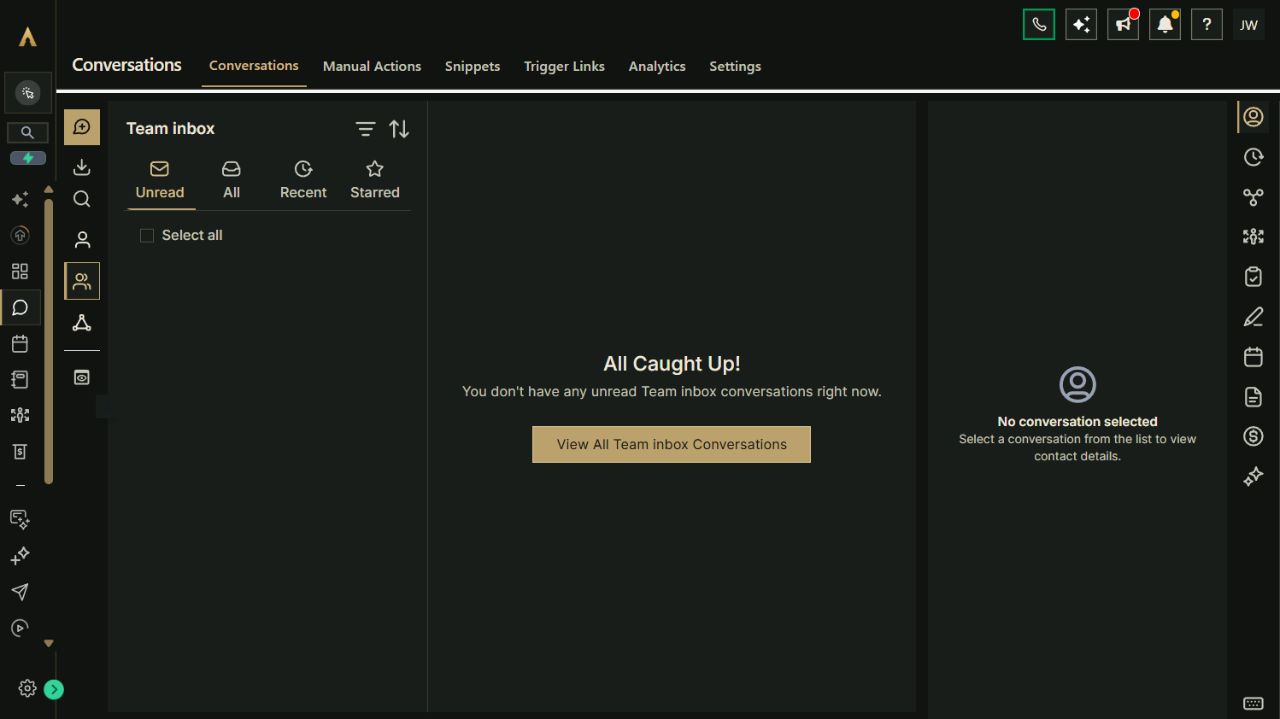
Bring customer conversations, consultations, seasonal campaigns and reviews into one platform. Replace the software overlap around your HVAC business, keep specialist field operations where they belong, and expand through thousands of marketplace apps and integrations.
FREE 30 days. Nexus Executive with four recommended tools. Card required; then $197/month unless canceled. Usage, paid extras and tax are separate.
06 / HVAC businesses
Precision behind every service.
Archon.tools / Made for the way you work
Less software to juggle
Bring the everyday together. Connect the specialist tools.
Connect the customer and marketing side of your HVAC business, with organized inquiries, appointment conversations, seasonal care campaigns and reputation tools.
In your recommended four
Customer hub & inbox
Keep the customer conversation in view.
Bring customer details, supported messages, inquiries and follow-up tasks together. Record the information your team needs without treating a sales stage as a dispatched job.
In your recommended four
Booking & calendars
Make consultations easier to arrange.
Offer appropriate consultation or assessment times around your host's calendar. Your operational team still confirms technician capacity, service area and the appointment's scope.
In your recommended four
Follow-up & campaigns
Make seasonal care part of your marketing.
Prepare permission-based service reminders and relevant offers for your chosen audiences. Plan social content and follow-up in the same platform as customer work.
In your recommended four
Reviews & retention
Follow completed work with consistent feedback.
Request feedback after your team confirms service completion, manage supported reviews and provide a review QR card for customers.
Available with another selection or Apex
Website & forms
Explain the services your team provides.
Build your own service pages, campaign destinations and inquiry forms. Use your approved content and a contact route that matches the work you can handle.
Available with another selection or Apex
Courses & communities
Share your own customer resources.
Organize approved equipment-care and preparation material in a course or community space. Learning access does not establish a maintenance agreement or service entitlement.
Available with another selection or Apex
Reporting
See more of the customer business together.
Review supported inquiry, appointment, campaign and review activity. Match filters and periods, and keep job profitability in the system that holds the necessary costs.
A platform you can expand.
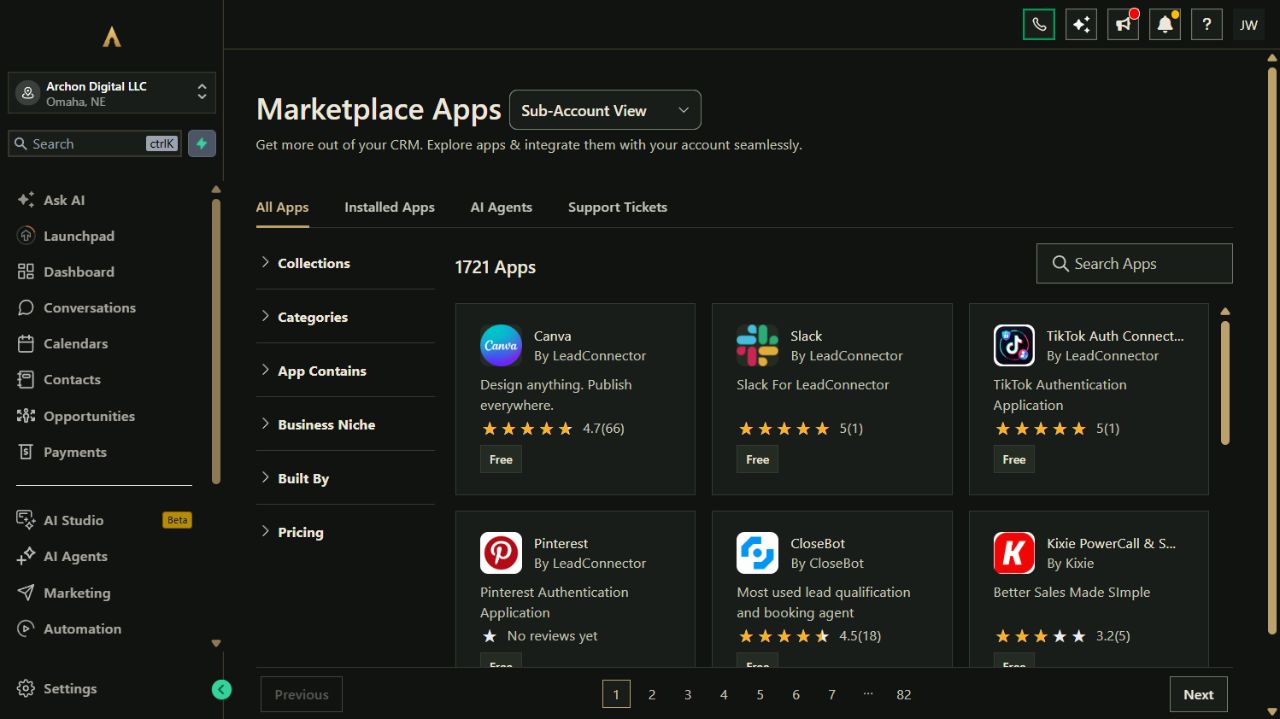
Choose from seven tool categories and explore thousands of marketplace apps and integrations. Availability, permissions, compatibility and third-party prices vary.
Fewer tools to juggle. More business in one place.
Your website, customer records, campaigns, bookings and other selected tools belong to one connected platform. Keep the specialist software you rely on and expand through the App Marketplace.
Actual Archon demo workspace. These screens are product examples, not customer results. Tools and connected channels depend on your plan and configuration.
01 / Customer conversationsReal workspace preview
Make the platform earn its place
Workflows for the work you do every week.
Explore how the tools can work together. These are configuration playbooks to adapt and test in your workspace; they are not automations installed by opening this page.
01Connect an inquiry to the right service conversation.Customer context and follow-up stay organized while your team determines the appropriate operational response.
Keep a supported incoming conversation with the customer's contact record.
Assign an owner to confirm service area, request type and the next appropriate action.
Offer a consultation or assessment appointment only when it matches your team's process and availability.
Record the outcome and hand the operational work to the person or system responsible for it.
Paste the brief into Archie’s text chat or your own assistant to work through the setup. You choose what to enable.
03Make feedback part of completed customer work.A verified completed service receives a consistent feedback process without duplicate requests from different systems.
Have the operational owner confirm that the service is complete and ready for feedback.
Check contact preferences, the review destination and whether another system already sends a request.
Send one agreed feedback request using consistent eligibility criteria.
Review the send status and response, then assign any customer issue to the appropriate owner.
Paste the brief into Archie’s text chat or your own assistant to work through the setup. You choose what to enable.
Your platform. Your ecosystem.
Replace the patchwork. Keep what works.
Bring common business work into Archon.tools and connect the specialist apps you still need. Each option below has its own scope and setup requirements.
Marketplace app
Jobber
Keep job operations in Jobber while sharing selected client details with your customer and marketing workspace.
Connection scope
Agency installation and your authorization are required. Selected client/contact fields sync; Jobber notes, attachments and custom fields do not. Contact sync alone does not provide job, quote or completion events.
Costs & requirements
Your Jobber subscription and any app charges are separate. Review current terms and the data you want to share before installation.
Connect the calendars your appointment hosts use and choose which busy times should block availability.
Connection scope
Each host authorizes their own account. Choose linked and conflict calendars, confirm time zones and permissions, and test a booking before sharing it.
Costs & requirements
Use your own Google account. Any Google subscription and appointment-message usage are separate.
Bring supported business-profile and review work alongside the customer relationships behind it.
Connection scope
Requires the reputation category and access to the correct business profile. Check the review destination and request settings; profile updates do not guarantee search rankings.
Costs & requirements
Message usage and any separately chosen reputation services are extra.
Keep your accounting system and assess supported customer and payment-record connections around it.
Connection scope
Record types and sync direction vary. Imported older records and newly created records behave differently. Confirm the exact accounting flow and available permissions before relying on it.
Costs & requirements
Your QuickBooks subscription and any payment-processing charges are separate.
Technician dispatch, emergency response, routes, equipment records, parts, job costing and maintenance-agreement billing need their own operational system or a separately confirmed integration.
Connect the business around the field work.
The suggested four categories cover customer hub, booking, campaigns and reputation. Website, courses and communities, and reporting are additional choices or part of the full suite. A contact connection is not a service-event feed.
Review optional channels and costs before activation.
AI assistants, business phone services, sending usage, paid apps, processing and custom work are separate. Confirm the services you actually want and their costs before enabling them.
A recommendation, not a restriction
Try your connected workspace FREE.
Start with Nexus Executive and the four categories recommended for heating & cooling businesses. You can choose a different combination on the main plan selector.
Nexus Executive: $197/month after the trial. Card required; renews automatically unless canceled. Cancel from your account and retain access through the end of the period. Prices exclude applicable tax. Usage and paid extras are separate. Setup is self-service with written guides; there is no setup fee.
Archon Digital / Custom work
Make the platform yours. Build beyond it.
Need a custom website, integration or workflow around your business? Archon Digital offers design and engineering work with an agreed scope, separately from your workspace subscription.
Can Archon.tools replace our dispatch or maintenance system?
It can consolidate the customer and marketing tools around that system. Dispatch, parts, equipment histories and maintenance-agreement billing require their own fit review. Keep the operational system you need and confirm the records each connection actually shares.
Can the platform remind customers about seasonal service?
You can build a campaign around an approved, opted-in audience and a service interval your team has verified. Confirm the sending channel, costs and stop conditions before activation. A shared contact record does not automatically establish equipment details or maintenance entitlement.
Does an appointment automatically send a technician?
No. The consultation or assessment calendar supports the customer conversation. Your operational team must confirm the job, technician, timing and any urgency through its own process. Do not treat this page or its booking examples as emergency dispatch.