
Website & forms
Give your brand a home of its own.
Build a creator site with your work, media kit, current offers and a clear way to get in touch. Use separate forms for brand inquiries and audience sign-ups so each person gets the right next step.
 ARCHON.TOOLSARCHON DIGITAL LLC
Archon.tools · Navigation
Archon.tools for creators & influencers
Your brand site, audience relationships, partnerships and digital offers in one workspace. Replace scattered business tools. Keep your creative toolkit connected.
FREE 30 days. Nexus Executive with four recommended tools. Card required; then $197/month unless canceled. Usage, paid extras and tax are separate.
The connected platform
Give your brand, audience relationships, partnerships and digital offers a connected home while keeping your specialist creative tools.
Connect your brand site, audience relationships, sponsorship inquiries, campaigns and digital offers in one workspace. Keep the production and publishing tools you rely on, and bring the business around your content together.
Website & forms
Build a creator site with your work, media kit, current offers and a clear way to get in touch. Use separate forms for brand inquiries and audience sign-ups so each person gets the right next step.
Customer hub & inbox
Organize subscribers, customers, collaborators and brand contacts with supported inbox conversations and clear inquiry stages. Track the brief, decision and next action without treating followers as a contact list.
Follow-up & campaigns
Plan approved social posts and permission-based email follow-up around your content, collaborations and offers. Review each connected network's supported formats and publishing options before scheduling.
Courses & communities
Organize your own lessons, resources and community around a clear offer and member experience. Set up and test access before inviting learners; paid checkout needs its own configured payment provider.
Room to expand
Choose a different four, or open all seven categories with Apex.
Booking & calendars
Add booking for collaboration calls, consultations or member sessions around your availability. Choose this extra category when scheduling is part of the business you want to run.
Reporting
Review supported inquiry, customer and campaign activity from configured sources. Keep this alongside native platform analytics when assessing reach and engagement; it does not verify audience authenticity or calculate sponsorship value.
Reviews & retention
Ask eligible customers or learners for feedback using consistent criteria and supported review destinations. Confirm permission before using their words in your creator site or promotion.
See the platform at work
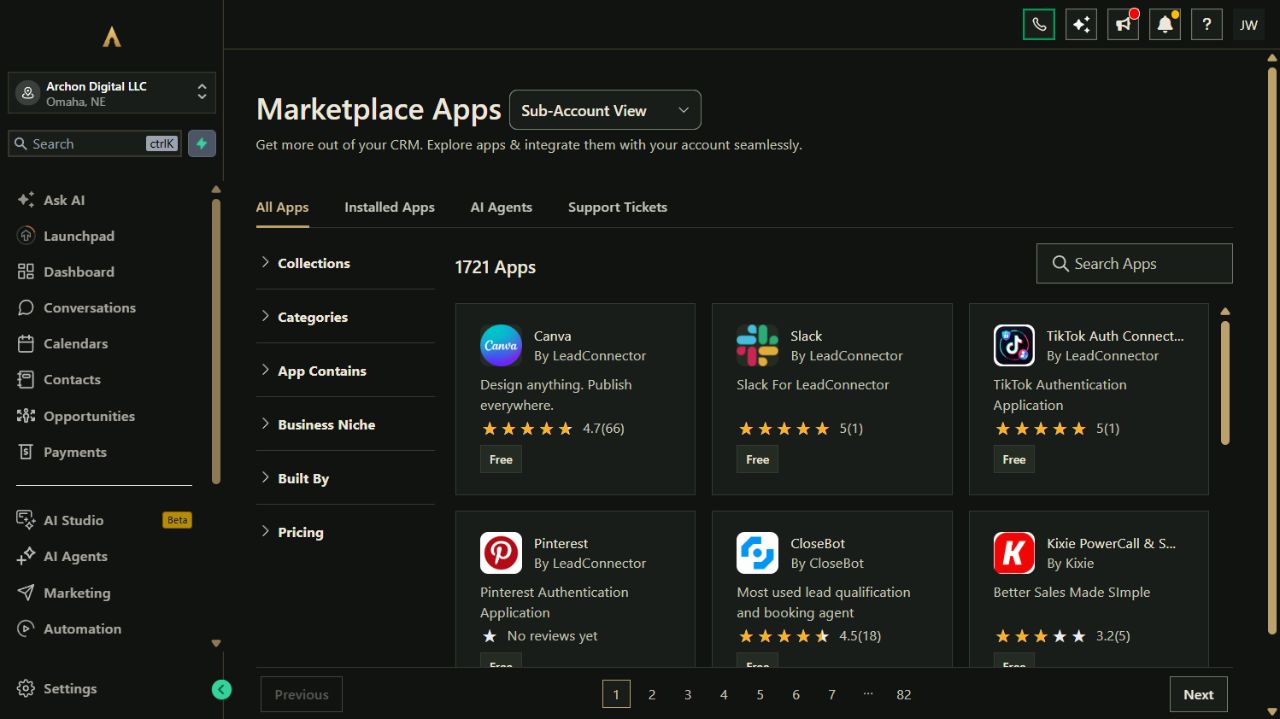
Your website, customer records, campaigns, bookings and other selected tools belong to one connected platform. Keep the specialist software you rely on and expand through the App Marketplace.
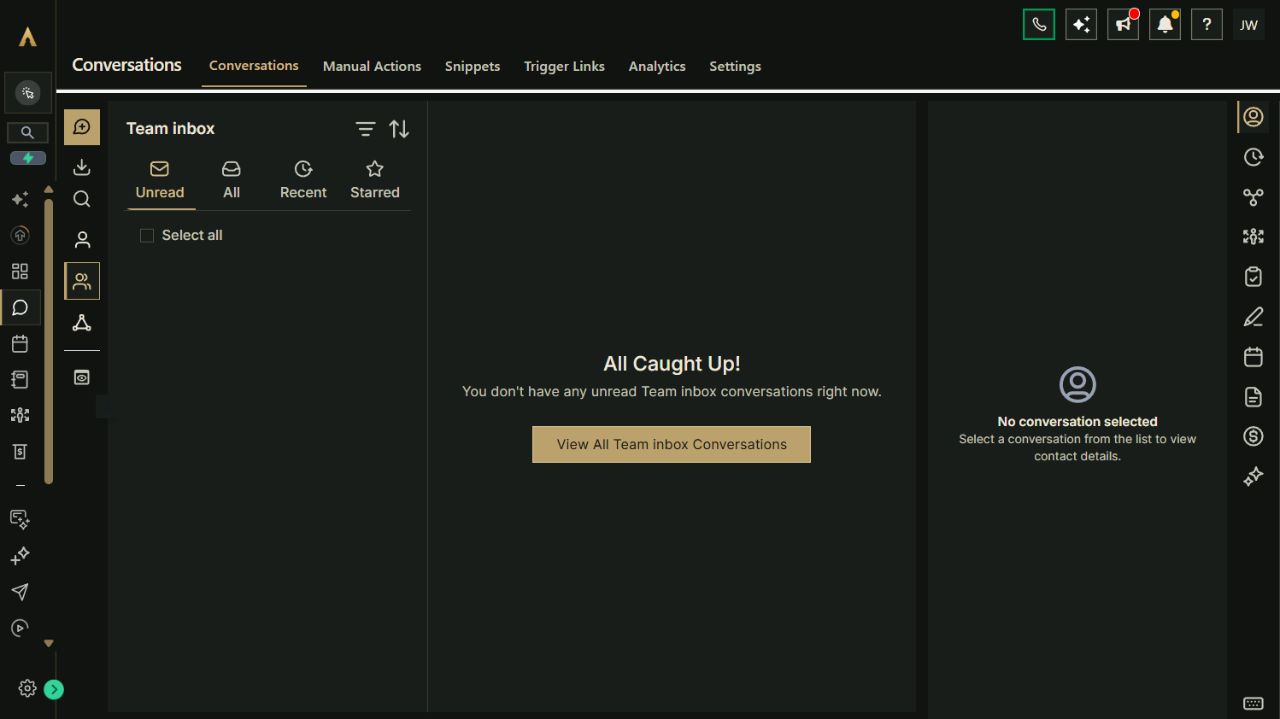
Explore the full workspace previewActual Archon demo workspace. These screens are product examples, not customer results. Tools and connected channels depend on your plan and configuration.
Put it to work
Explore how the tools can work together. These are configuration playbooks to adapt and test in your workspace; they are not automations installed by opening this page.
Paste the brief into Archie’s text chat or your own assistant to work through the setup. You choose what to enable.
Paste the brief into Archie’s text chat or your own assistant to work through the setup. You choose what to enable.
Paste the brief into Archie’s text chat or your own assistant to work through the setup. You choose what to enable.
Your platform. Your ecosystem.
Bring common business work into Archon.tools and connect the specialist apps you still need. Each option below has its own scope and setup requirements.

Built-in connection
Keep supported audience and brand conversations beside the relationship they belong to.

Built-in connection
Bring owned images and approved campaign assets into workspace content while keeping your production tools.

Built-in connection
Keep your existing merchandise or product store connected to customer follow-up.
Make it yours
Use our written guides for the tools on your plan. Archie is here to answer questions while you explore.
Collect the campaign brief and contact details you need to assess a potential partnership.
Keep inquiries, active partners, customers and opted-in subscribers in clear stages and segments.
Use Social Planner with your own approved assets, channel-specific drafts and a verified first publication.
Arrange your own lessons and test the member experience before inviting your audience.
Using your own assistant? Open the complete setup reference
Building a direct connection? Explore the API & MCP developer preview
A considered fit
Archon.tools connects your brand site, relationships, campaigns and learning offers. Video editing, production, native channel analytics and specialist creator tools stay in your chosen setup unless a specific supported connection has been reviewed.
The customer hub organizes inquiries; it is not a sponsorship marketplace or an audience-verification service. You agree fees, rights and disclosures with each brand. Followers and incoming messages are not automatic consent for promotional email or text.
The suggested four cover website, customer hub, campaigns and courses and communities. Booking, reporting and reputation are additional choices or part of Apex. Paid checkout, digital-download delivery and refunds require their own configured, tested setup; usage, optional AI and third-party costs remain separate.
A recommendation, not a restriction
Start with Nexus Executive and the four categories recommended for creators & influencers. You can choose a different combination on the main plan selector.
Nexus Executive: $197/month after the trial. Card required; renews automatically unless canceled. Cancel from your account and retain access through the end of the period. Prices exclude applicable tax. Usage and paid extras are separate. Setup is self-service with written guides; there is no setup fee.
Archon Digital / Custom work
Need a custom website, integration or workflow around your business? Archon Digital offers design and engineering work with an agreed scope, separately from your workspace subscription.
Before you start
Yes. Keep creating in the tools you prefer, use supported Social Planner connections for approved publishing, and connect eligible inbox channels. The documented Shopify connection can bring supported customer and order information into your workspace. Other specialist tools need their own connection review; this page does not assume every app or format is supported.
You can collect a brief, organize brand contacts and track the conversation through your own pipeline. You still assess the partnership, agree the contract and manage approvals. Archon.tools does not supply sponsors, verify follower authenticity or guarantee sponsorship revenue.
The suggested courses and communities category lets you arrange your own teaching content and member access. Before charging, configure your own payment provider and test checkout, access and cancellation. Secure delivery of downloadable products needs a separate verified setup; an offer page alone does not activate it.